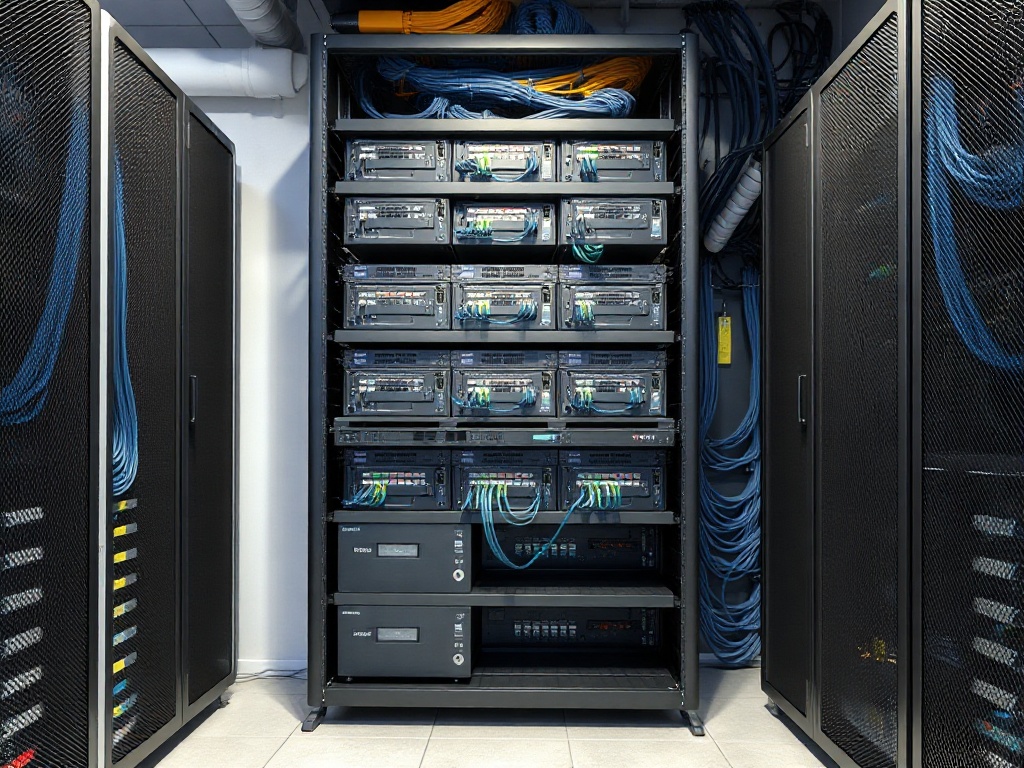
Professional network infrastructure is built on foundational best practices. These proven standards ensure reliability, scalability, and maintainability while reducing downtime and security risks.
Essential Best Practices:
1. Implement Proper Cable Management Use cable trays, clips, and management systems to organize cables. Cables should be: - Color-coded by purpose (internet, phones, servers, etc.) - Neatly bundled and labeled - Routed to avoid stress points - Kept away from power lines (prevents interference) - Properly supported throughout their run
Benefits: Better airflow, reduced heat, fewer accidental disconnections, easier troubleshooting, improved safety.
2. Comprehensive Labeling Every cable, port, and connection must be labeled. Use: - Source and destination labels on both ends - Consistent naming convention (e.g., "Building A - Floor 2 - Office 205") - Color-coded labels by type or department - Numbered patch panels with clear documentation - Professional label makers for durability
Benefits: Instant identification, faster troubleshooting, reduced errors, improved security.
3. Maintain Detailed Documentation Documentation should include: - Network topology diagrams (visually representing all devices) - Cable maps (showing physical paths) - Patch panel layouts (with port assignments) - IP address management (which devices have which addresses) - Equipment inventory (model numbers, specs, warranty) - Change logs (who did what and when)
Benefits: Faster troubleshooting, easier upgrades, compliance support, knowledge retention.
4. Proper Cable Organization in Racks Rack organization standards include: - Equipment mounted from bottom to top - Cables routed through organized pathways (never loose) - Hot/cold aisle containment in larger installations - Adequate spacing between equipment for airflow - Cable runs organized horizontally under/above equipment - Patch panels at accessible heights - Power distribution properly managed
Benefits: Maximum equipment lifespan, optimal performance, professional appearance, safety.
5. Use Proper Cable Termination Improper termination degrades performance. Follow standards: - Correct Cat6/Cat6A termination procedures - Proper connector installation - Testing after termination (verify connectivity and performance) - Professional-grade components throughout - Avoid mixing cheap components with quality cabling
Benefits: Optimal network performance, reliability, reduced packet loss.
6. Implement VLAN Segmentation Virtual LANs improve security and performance: - Separate traffic by department or purpose - Isolate guest networks from company networks - Create VLANs for surveillance, phones, computers - Document all VLAN assignments
Benefits: Better security, improved performance, easier network management.
7. Redundancy and Failover Build in redundancy: - Multiple internet connections (fail-over capability) - Redundant core switches - Backup power systems - Redundant cables on critical connections
Benefits: Minimal downtime, business continuity, reduced risk.
8. Regular Maintenance Schedule regular infrastructure maintenance: - Quarterly physical inspections - Cable testing and verification - Update documentation when changes occur - Clean equipment to maintain airflow - Update software/firmware regularly
Benefits: Prevents problems, extends equipment lifespan, catches issues early.
9. Security Practices Implement security standards: - Physical security (lock server rooms) - Monitor access (who connects to what) - Use secure authentication - Separate network traffic for sensitive data - Regular security audits
Benefits: Better security posture, compliance with regulations, reduced breach risk.
10. Future-Proof Design Plan for growth: - Oversized cable trays (room for additions) - Excess patch panel ports (for expansion) - Scalable equipment choices - Modular design (easier to upgrade) - Room for future equipment
Benefits: Cheaper and easier to expand, accommodates business growth, extends infrastructure life.
Common Mistakes to Avoid:
- Inadequate cable organization (leads to failures) - No labeling system (causes errors and confusion) - Skipping documentation (impossible to manage) - Poor cable termination (performance issues) - Undersized components (limits growth) - Neglecting maintenance (unexpected failures) - No redundancy (single points of failure)
Industry Standards to Follow: - TIA/EIA 568A/568B (termination standards) - IEEE 802.1Q (VLAN standards) - IEC 60364 (electrical safety) - NFPA 70 (National Electrical Code)
Professional Infrastructure vs. DIY: While some small businesses attempt DIY network infrastructure, professional installation offers: - Proper tools and expertise - Adherence to industry standards - Testing and verification - Professional documentation - Warranty and support - Knowledge of best practices - Proper safety procedures
The ROI of Professional Infrastructure: Investing in professional network infrastructure typically saves: - 40-60% fewer outages - 80% faster troubleshooting - 50-70% lower maintenance costs - 3-5 years of extended equipment life - Better security posture - Improved staff productivity
Network infrastructure is the backbone of your business. Building it right the first time—or rebuilding it professionally—pays dividends for years.
Ready to implement best-practice infrastructure?